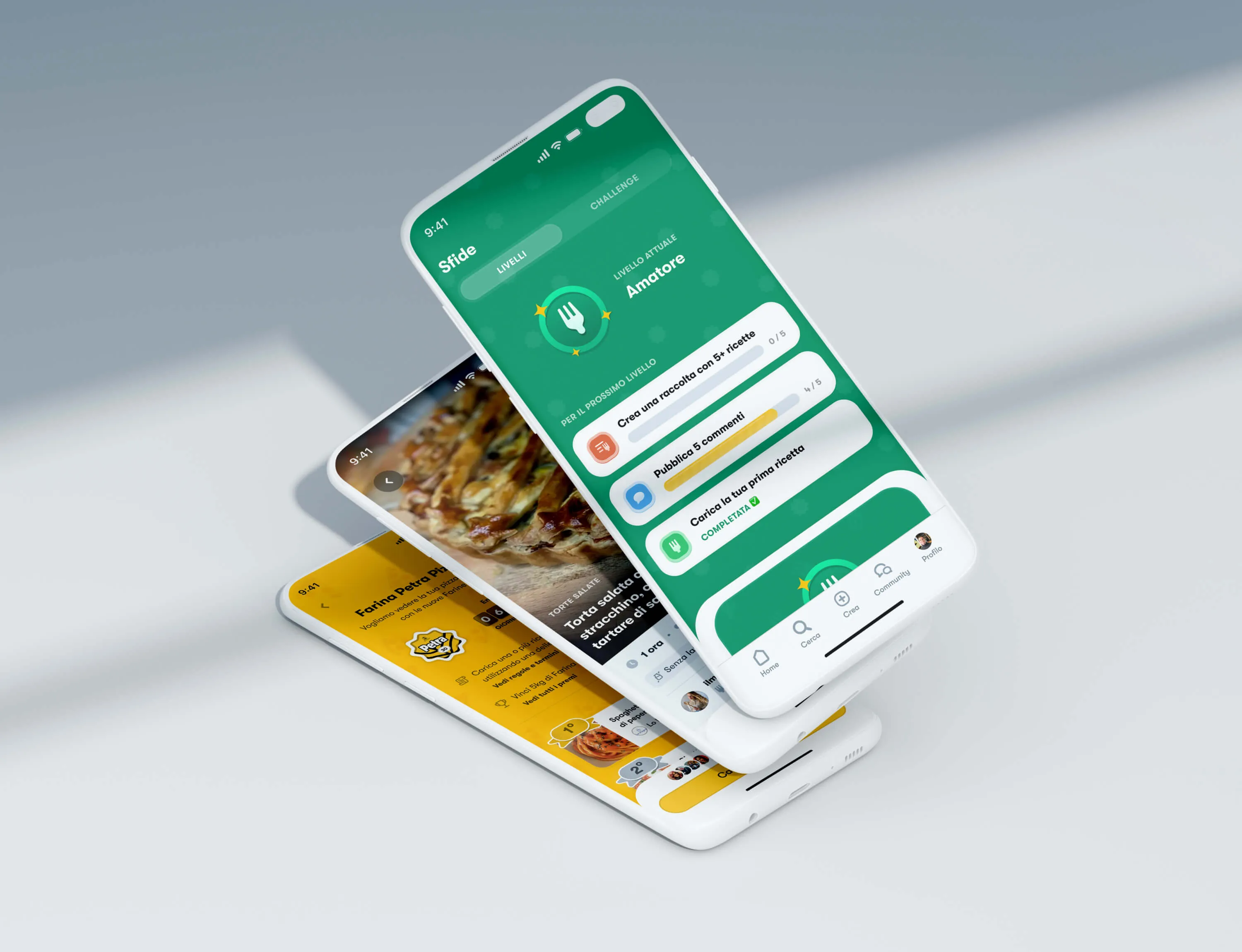
SleepIQ
What this was, in short.
Inherited Sleep Number's year-long app redesign in my first months at Fantasy. Shipped three health features and the Climate 360 UI Sleep Number unveiled at CES 2020. Grew the design system, moved the team from Sketch to Figma, and mentored a junior designer through it all.
- 01
Climate 360 — CES 2020
The Climate 360 was new hardware — a smart bed that cools and warms per sleeper, per zone. I designed the live temperature UI that shipped alongside it.
- 02
Three health features
HRV, Circadian Rhythm, and Temperature routines, designed end-to-end across research, motion, and dev.
- 03
Fantasy ↔ Sleep Number bridge
First direct line between agency designers and client engineers. Mentored a junior designer until they were shipping solo.
1.4M+
App downloads
CES 2020
Climate 360 launch
3
New features shipped
I was fortunate enough to hand over a project with one of our oldest clients to Edoardo and he flawlessly took the lead in his first couple months at Fantasy. He hit the ground running — researching competitors, setting up close communication with the dev team, and creating a new internal file process.

Took over a redesign mid-stream
Inherited a year-long app redesign in my first months at Fantasy — alone, with no map of what had already been decided.
Sleep Number had hired Fantasy to redesign the SleepIQ app, used by 1.4M people to track sleep on their smart beds. After the initial sprint, the senior designer who led discovery handed it to me.
What was at stake
Sleep Number had real authority in sleep science. They were about to launch new health features — HRV, Circadian Rhythm, smart temperature routines — plus a flagship bed, the Climate 360, that needed an interface existing users would trust. The app couldn't undermine that authority. And the bare-bones design system in place couldn't support what was coming.
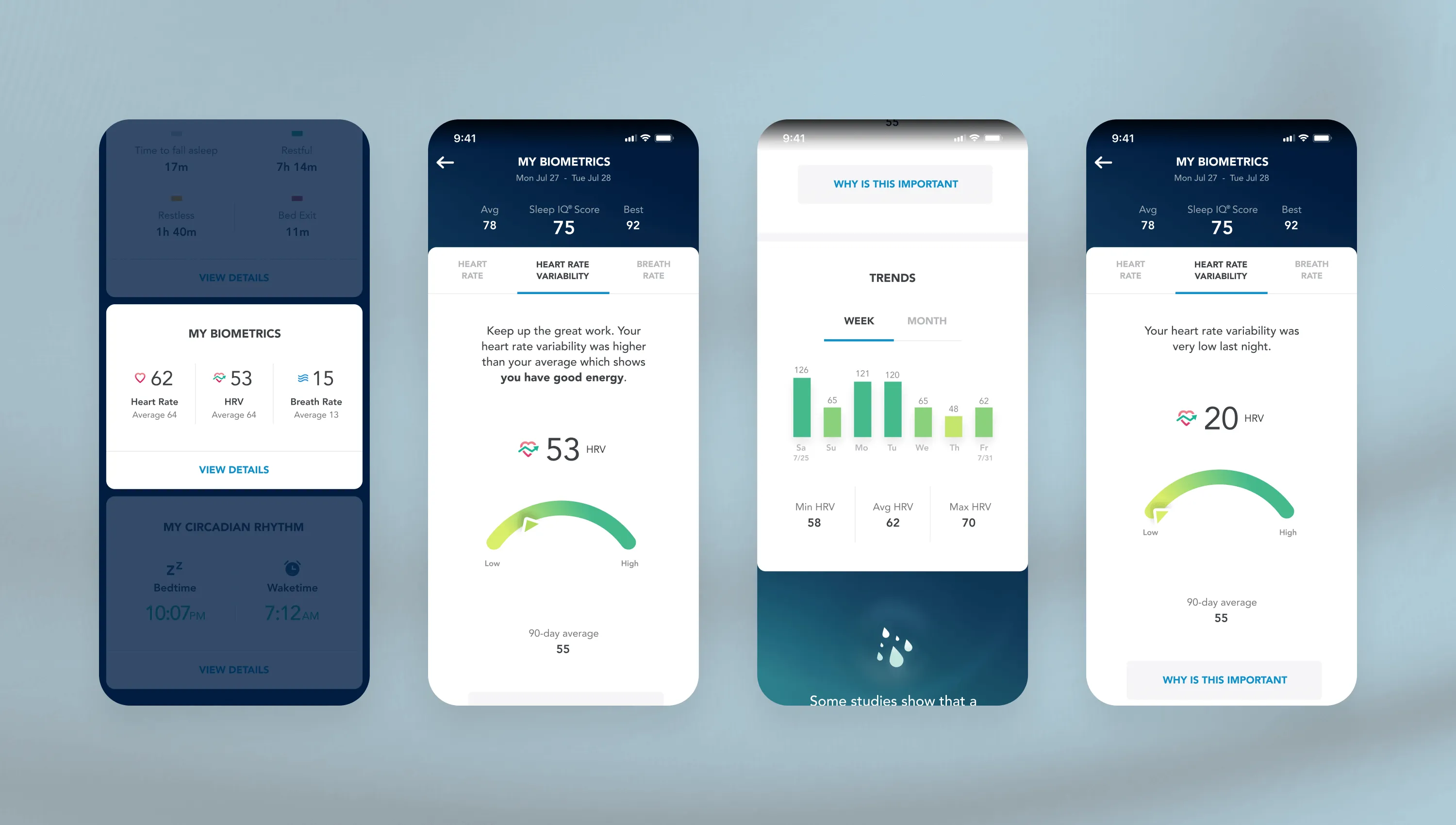
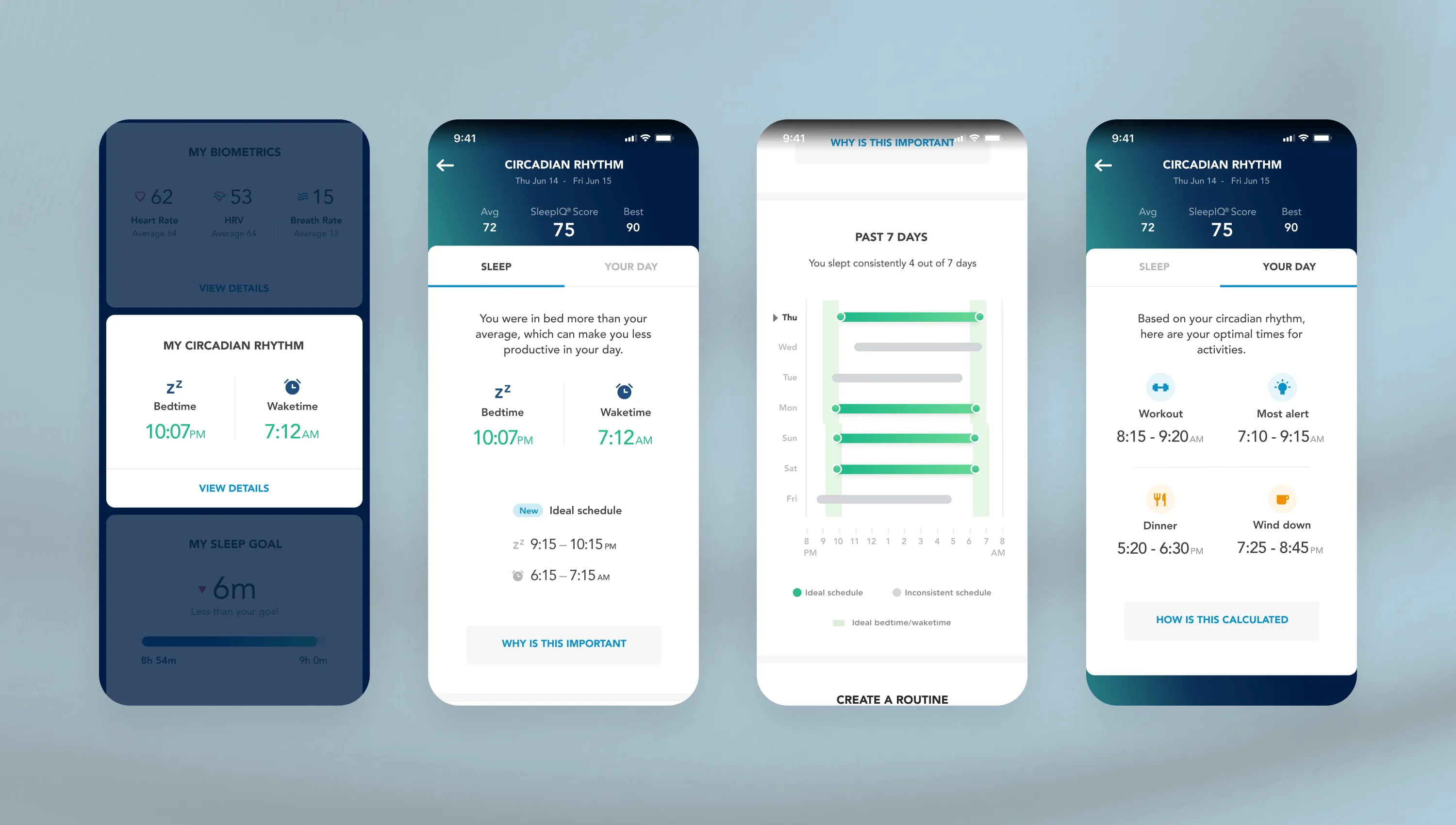
HRV and Circadian Rhythm
The hard part was never the chart — it was explaining a metric most users had never heard of.
HRV and Circadian Rhythm had to feel native, not like a new app grafted onto the old one. I led both features end to end: data visualization, onboarding, motion.
The interface had to set context without overwhelming someone who just wanted to know if they slept well. My rule for every health feature was the same: explain it as simply as possible, and tie the raw number to something the bed could actually help you do. Sleep Number was obsessed with the science — I was obsessed with the value a user could walk away with.
Teaching an invisible metric
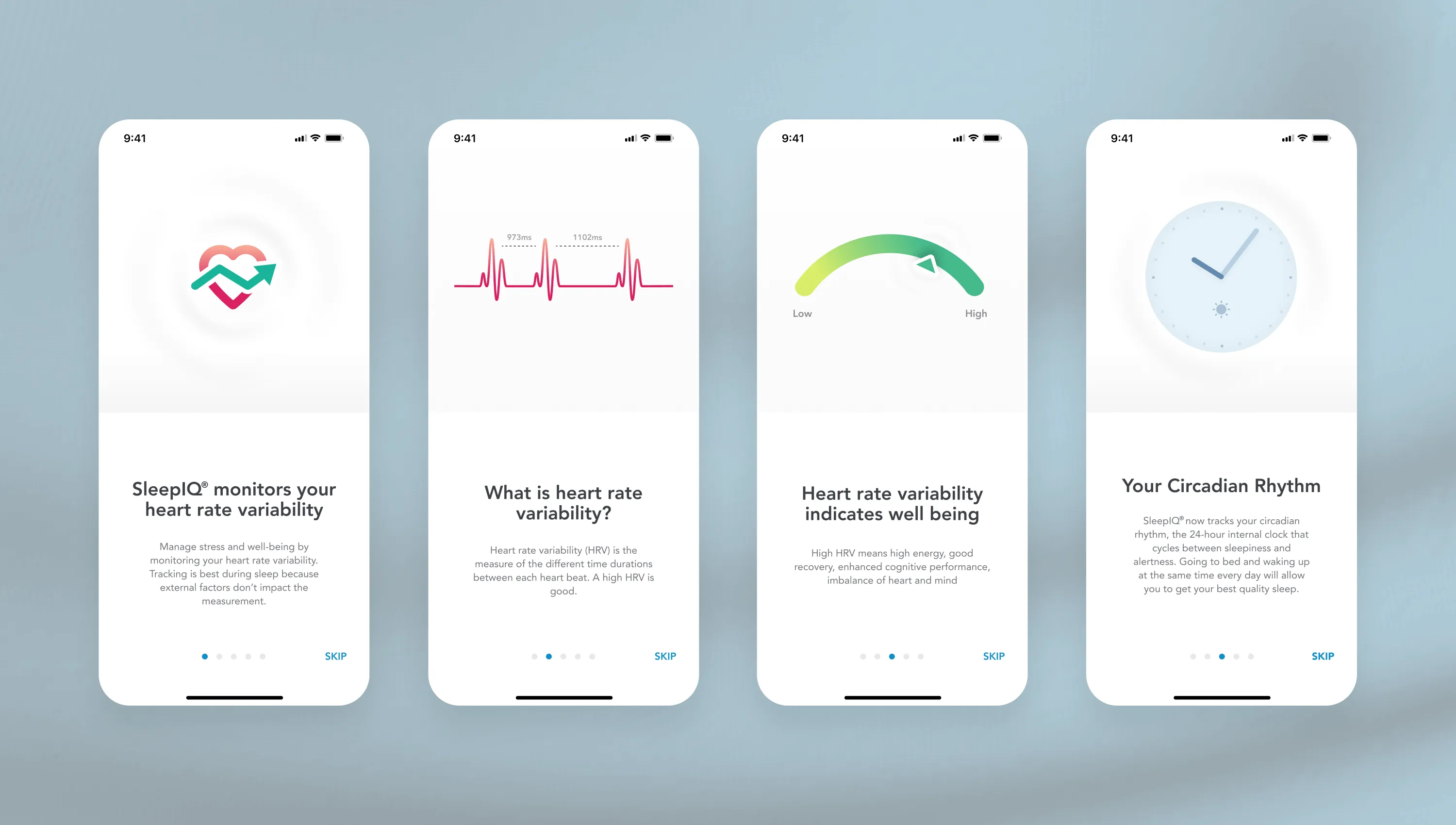
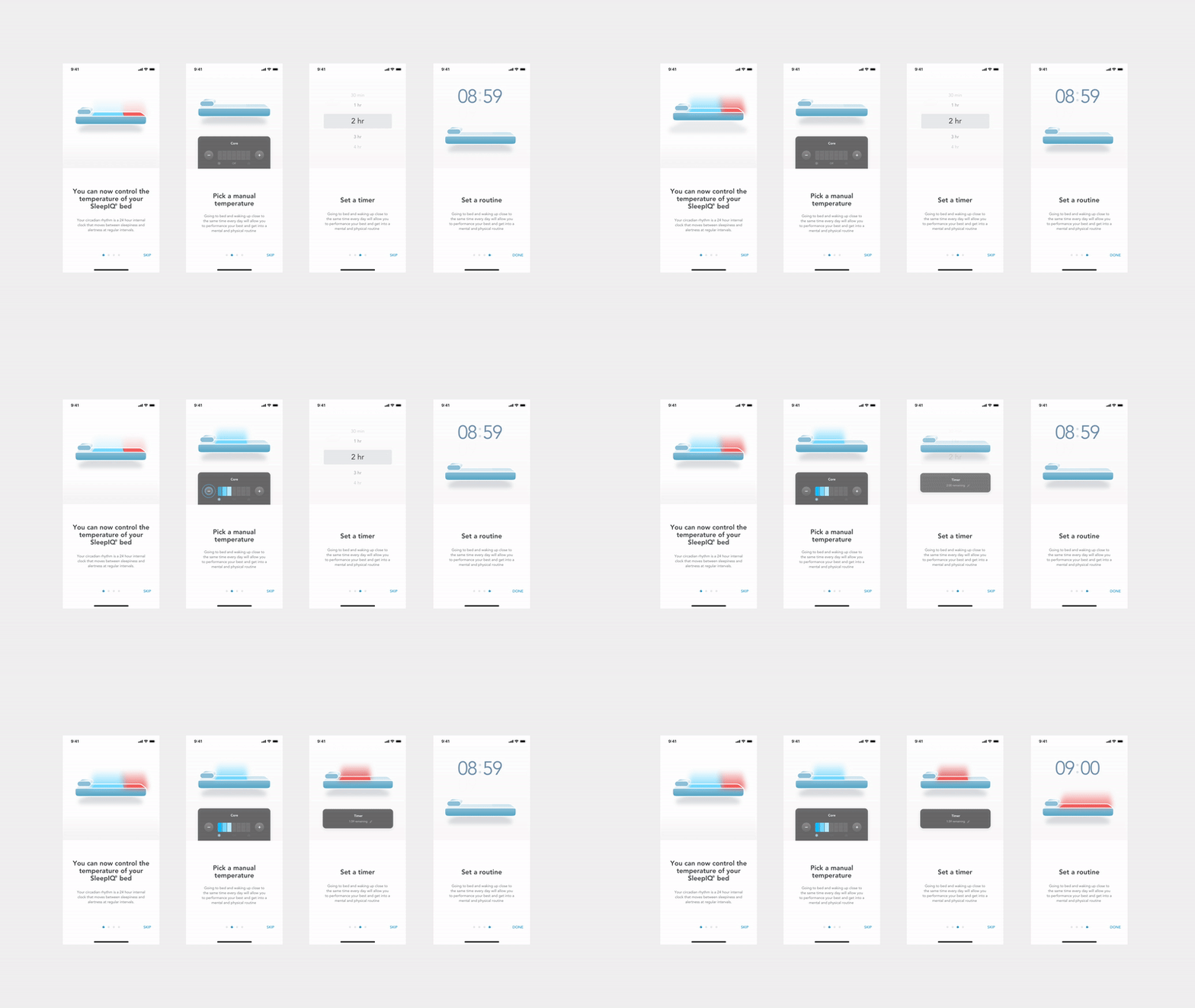
Tooltips only help people who already know what they're looking at, so I moved the explanation upstream into onboarding.
Tooltips were the obvious move, and they failed the first test — HRV didn't clear the bar. Illustrated onboarding answered “why does this matter” before the score ever appeared, and every new concept had to earn its place before users would trust the data behind it.
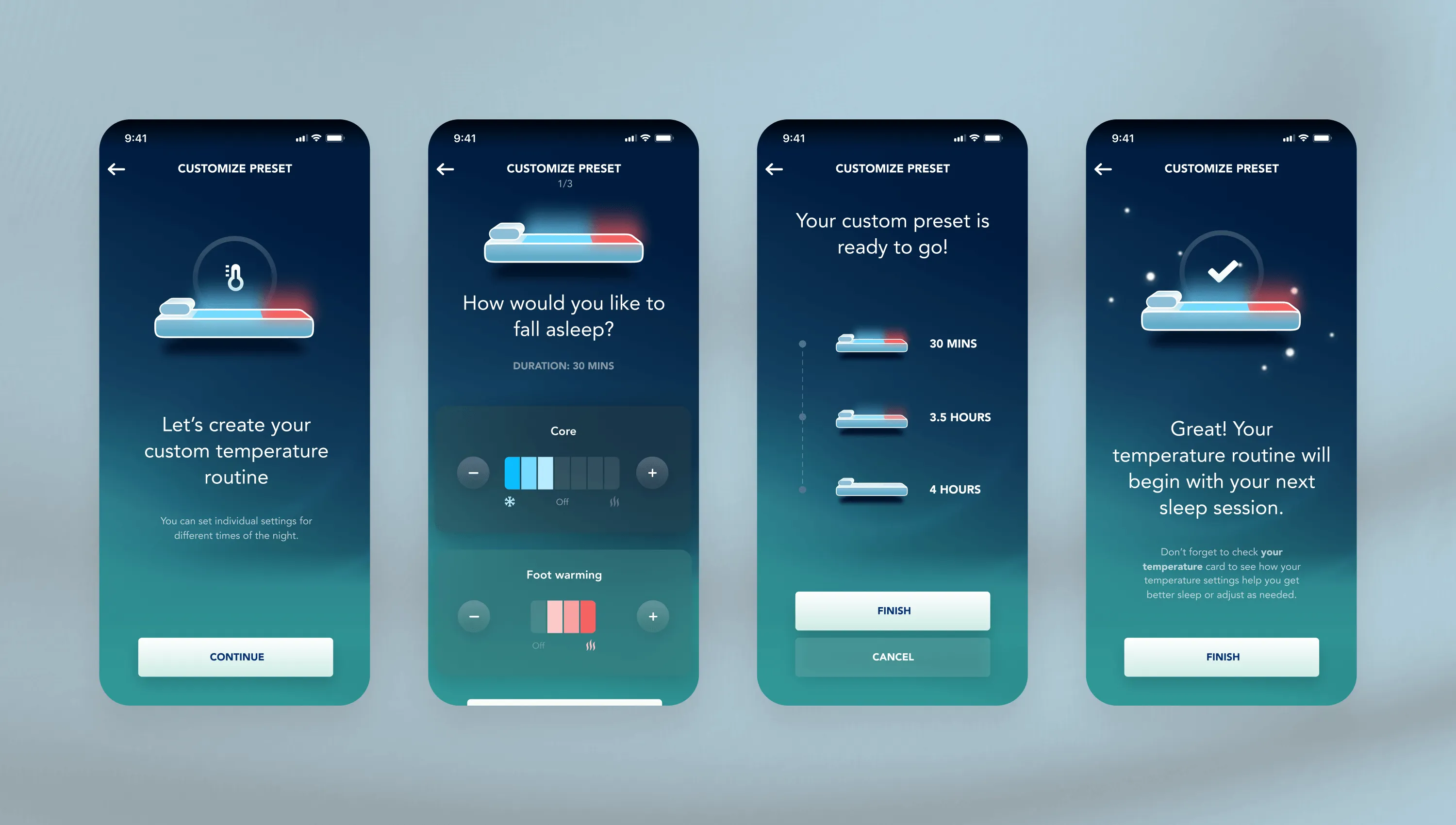
Climate 360 — the demo at CES
I designed the live temperature UI Sleep Number put on stage at CES 2020 — a two-way thermal system that had to feel like one calm decision.
The temperature routines shipped on the Climate 360, Sleep Number's flagship smart bed that does both cooling and warming, per sleeper, per zone.
The constraint was the hard part: phase-change textiles, evaporative cooling, and two heating elements, where what happened under the hood stayed invisible until it mattered.
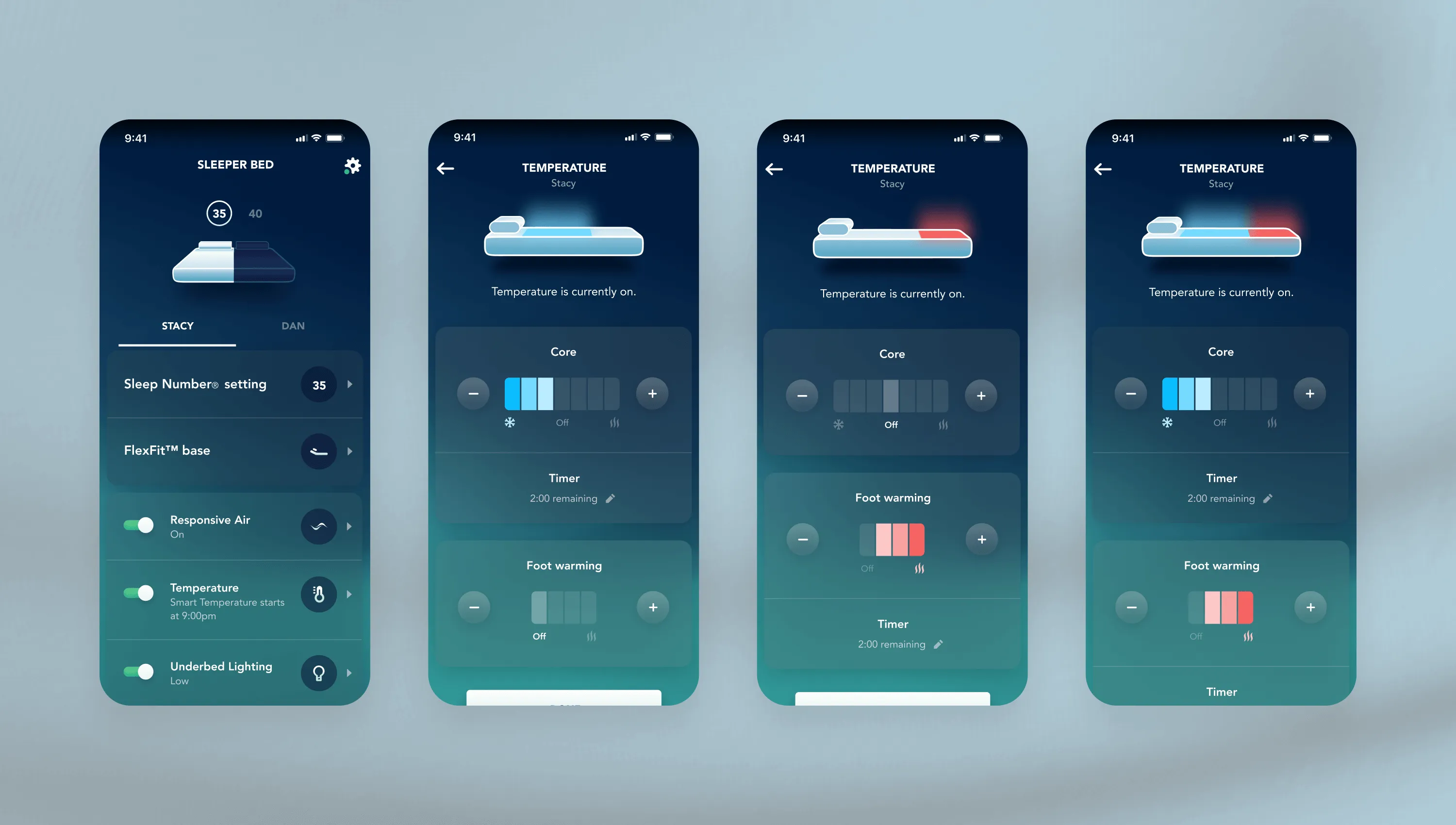
Shipped in public
Climate 360 unveiled at CES 2020 — announced by Sleep Number and covered by Gizmodo, TechHive, the Daily Mail, and Better Homes & Gardens. After launch, CNET and Healthline published hands-on reviews. Gizmodo and TechHive also flagged HRV and Circadian Rhythm as the next SleepIQ features. Both shipped April 2020, later extended into Sleep Number's Daytime Alertness launch in 2021.
Motion that earned its place
Motion did the explaining when words couldn't — built as Lotties so engineering could ship them directly.
I designed the Lottie animations and custom illustrations that ran through onboarding and the bed controls — how a preset played out across a night, how HRV rose and fell.
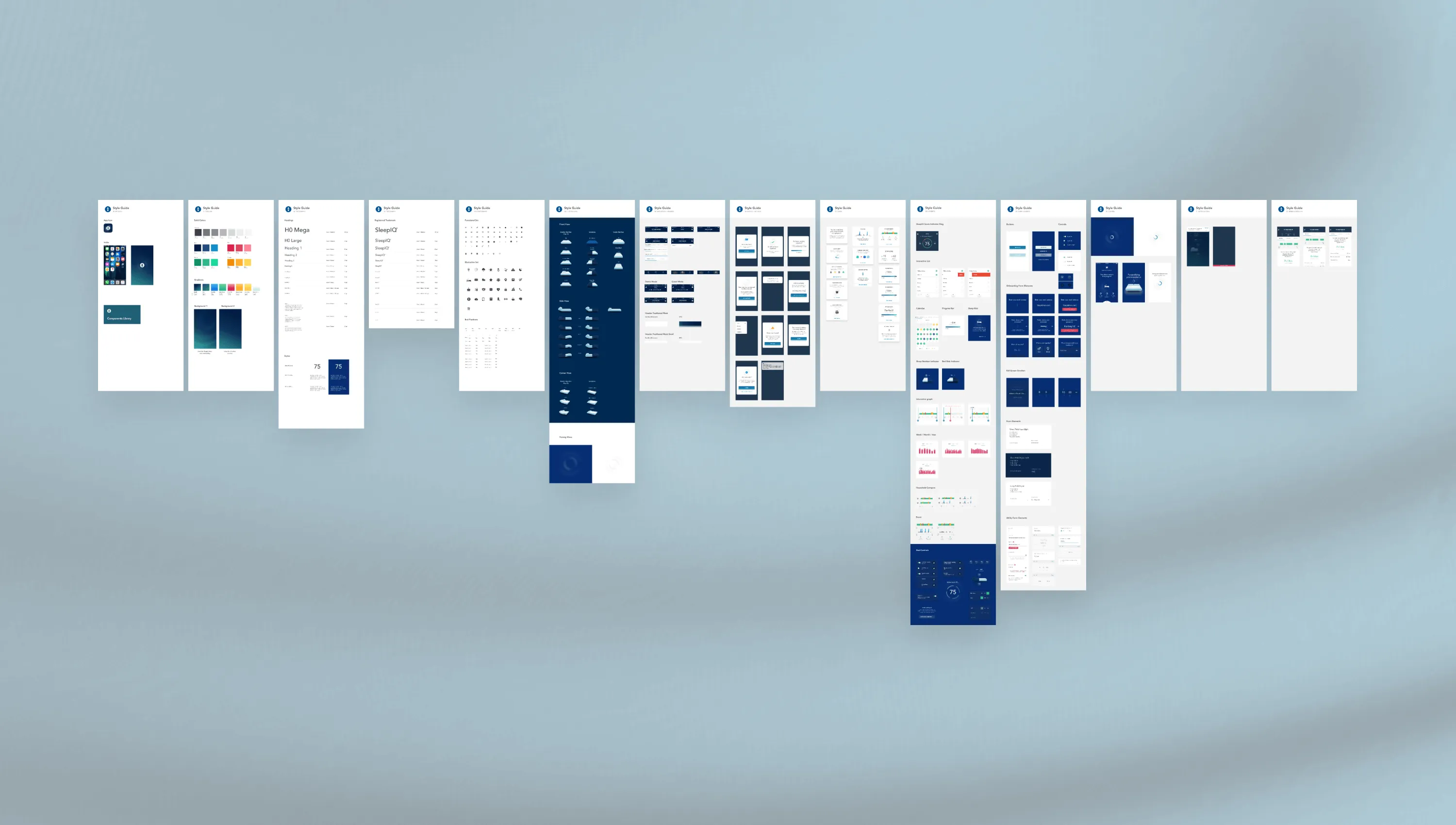
A kit that couldn't carry it
The kit in place was buttons, colours, and type — I grew it into an early design system the client later expanded internally: data viz, onboarding, motion, even printable doctor's reports.
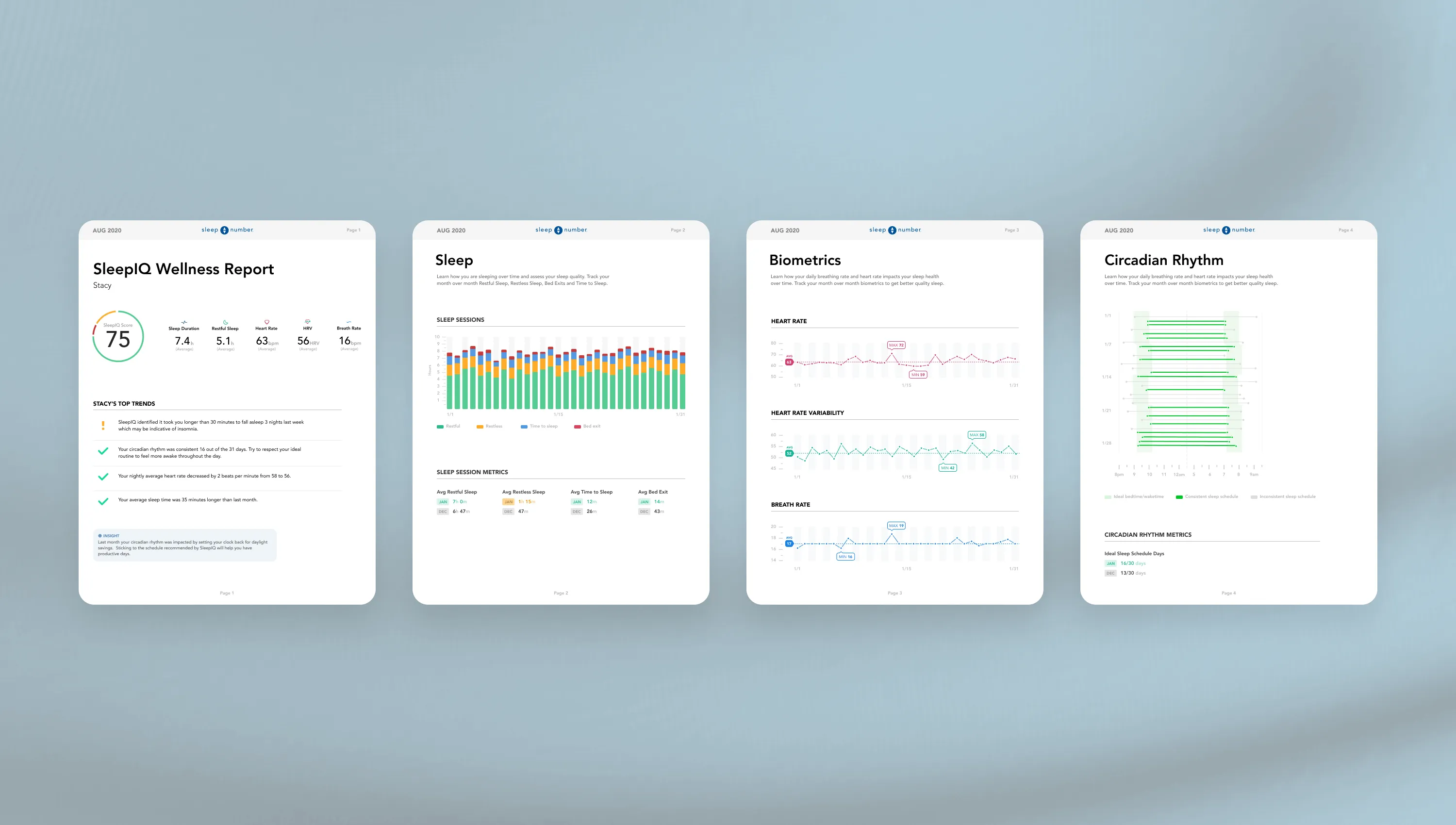
Two parts were more than a kit refresh. It traveled off-screen — into monthly SleepIQ Wellness Report PDFs users could take to their doctor. And I moved the client team from Sketch to Figma, which was messier than the design work: the hard part was buy-in from people with years of muscle memory in another tool.
Two teams talking past each other
Agency and client had no direct line — I built the first one, and by the end dev was pulling me into kickoffs before specs existed.
Every conversation used to route through PMs and account leads. I set up the first direct working relationship — design reviews, proper handoff specs, a weekly support call. That was the moment I understood what owning a client actually meant.
Mentoring through the build
I grew a fresh-out-of-college intern into a full-time junior designer running client meetings on her own — and it taught me as much as it taught her.
Tam joined fresh out of college on a fixed-term internship. The first months were shadowing — sitting in on calls, taking the small components, learning the system as I extended it.
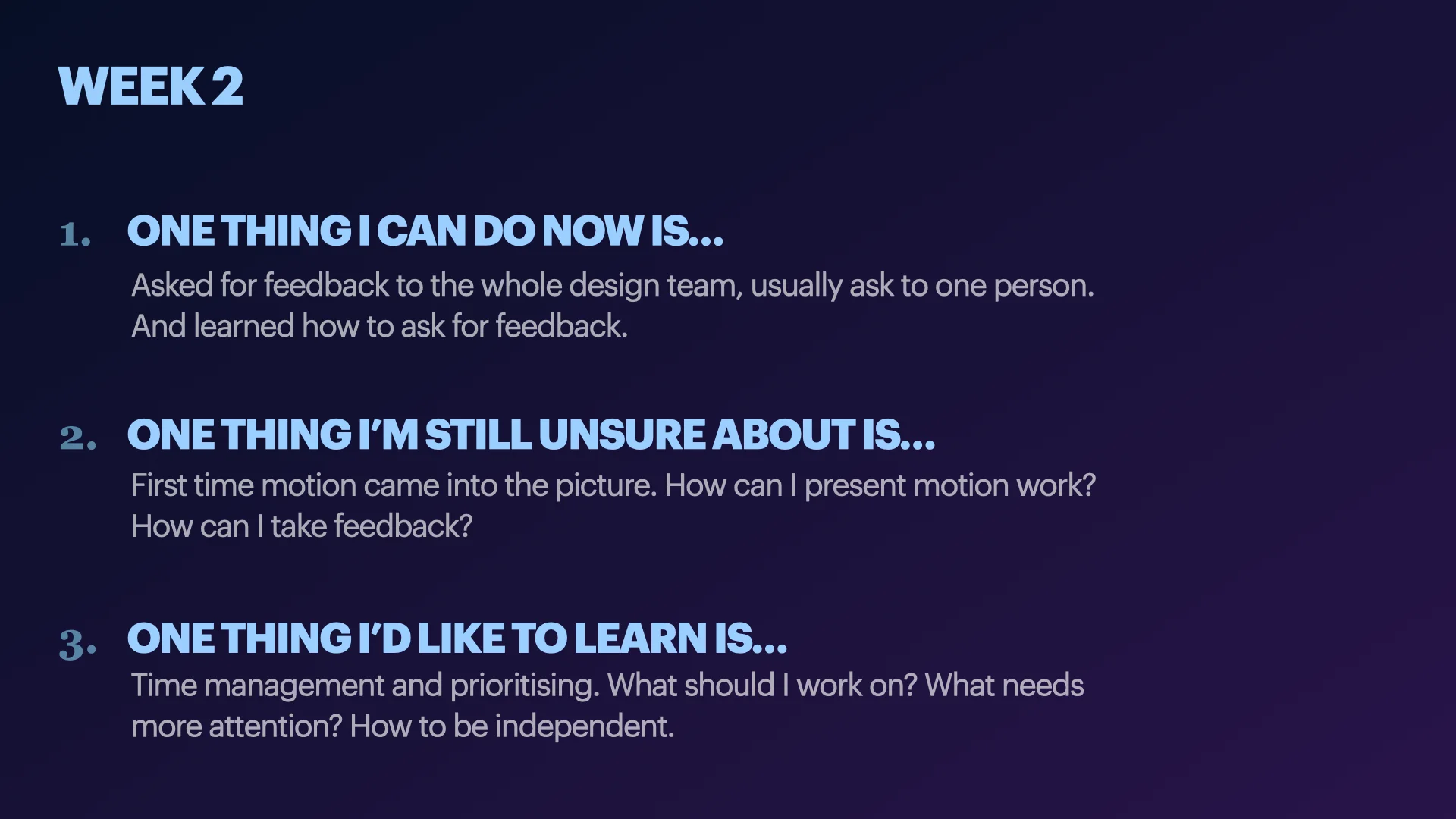
I ran weekly reviews with her: three prompts each time, kept in one running document so she could go back and see how her thinking had moved. A few months in, she was running client and stakeholder meetings on her own and pushing ideas I hadn't thought of. By month twelve she was doing all the design work and my job had narrowed to feedback. She arrived an intern and left on staff — Fantasy hired her full-time.
And the lesson stuck: explaining a decision forces you to actually understand why you made it.
What I learned
This is where I started thinking in systems instead of screens — but the lessons that stuck went wider than that. The hardest part was never the systems thinking; it was inheriting decisions I hadn't made and working out which to keep and which to fight. I learned to translate instead of decorate — a chart only earns its place when it turns a raw number into something a person can act on. I learned what owning a client really means: not messages relayed through middlemen, but a direct line and the rituals to keep it open. And mentoring Tam made my reasoning teachable — once you're accountable for someone else's growth, vague instinct stops being good enough.
More Work
Flow DS
AI Design Pipeline
Toggl Work